Beautiful Photo
Printing Made Simple

Drag, drop, arrange, and print. A straightforward way to get your photos from screen to paper with practical, precise layouts.

🖨️ Pro Printing
Lightweight
🔒 Photos Stay Local

Everything You Need to Print

A focused Windows photo printing solution with the tools you need to arrange, edit, print, and export your photos, including clear cross-page batch selection and built-in update notifications.

🖼️

Smart Layouts

Arrange up to 12 images per page using built-in grid layouts.

📄

Common Paper Sizes

Choose A4, Letter, Legal, or A3 in portrait or landscape orientation.

🎨

Image Editing

Adjust brightness, contrast, saturation, and other built-in image controls without changing the original photo. Check images to work on several at once; selection can span pages, with clear selection status, page-thumbnail cues, and batch rotate, reset, remove, and clear actions.

🔄

Transform & Flip

Rotate images 90/180/270 degrees and flip horizontally or vertically.

📐

Drag & Arrange

At 100%, drag images to swap positions on a page or move them between pages. Zoom in or out to inspect the layout, then drag anywhere to pan the whole page without disturbing image positions.

💾

Auto-Save & Recovery

While your project has unsaved changes, a crash-recovery snapshot is refreshed every 15 seconds. If the app closes unexpectedly, the most recent recoverable session can be offered on next launch.

📑

Multi-Page

Work with up to 50 pages per project. Page thumbnails show the current page and print inclusion state, while blue miniature outlines and selection counts help you keep track of selected images across pages.

Built for Windows

A focused Windows desktop app for photo layout, editing, printing, and PDF export.

📷

Camera RAW Support

Import supported camera RAW files directly — DNG, CR2, CR3, NEF, ARW, ORF, RW2, and RAF. The app uses a fast embedded preview when available and otherwise decodes the RAW file with rawpy/LibRaw. No pre-conversion is required for supported files.

📄

Save as PDF

Export selected pages to PDF with the output pipeline configured for 300 DPI layout rendering. Source images are reloaded for output when available, and the app warns if it must use a lower-resolution fallback.

🛡️

Privacy First

Your photo processing stays local. Trial registration and licensing use limited internet access, but your photos, file names, EXIF metadata, layouts, and print history are never sent to our licensing service. No account required.


How It Works

From photos to prints in three simple steps.

1

Import Your Photos

Click Import or drag and drop your images onto the canvas. Supports JPG, PNG, WebP, BMP, GIF, AVIF, SVG, ICO, TIFF, and camera RAW formats (DNG, NEF, CR2, ARW, and more).

2

Arrange & Edit

Choose your paper size and layout. Drag to reorder, rotate, flip, and fine-tune colors to your liking.

3

Print or Save PDF

Print through the standard Windows printing system or export selected pages to PDF. The output pipeline requests 300 DPI and reloads source files when available; final physical results still depend on the printer, driver, paper, and settings.

See It In Action

A clean, intuitive interface designed for getting your photos printed fast.

Screenshots show The Printer App v2 and are provided for illustration. Minor visual details may differ from the current v2.x release.

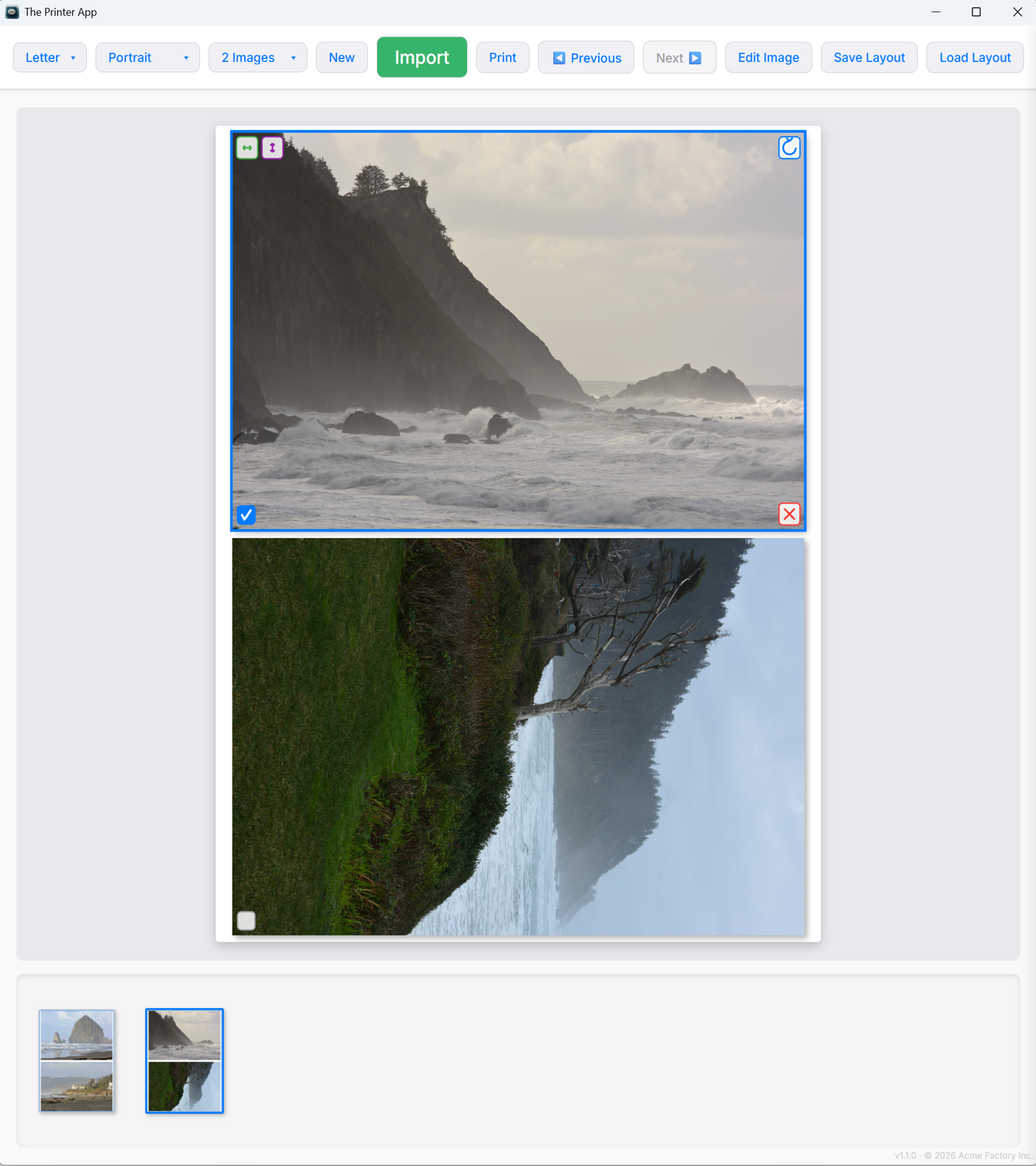
Real App The Printer App - Main canvas with photo layout

Layout Canvas

Drag and drop photos into customizable grid layouts. Choose paper size, orientation, and images per page.

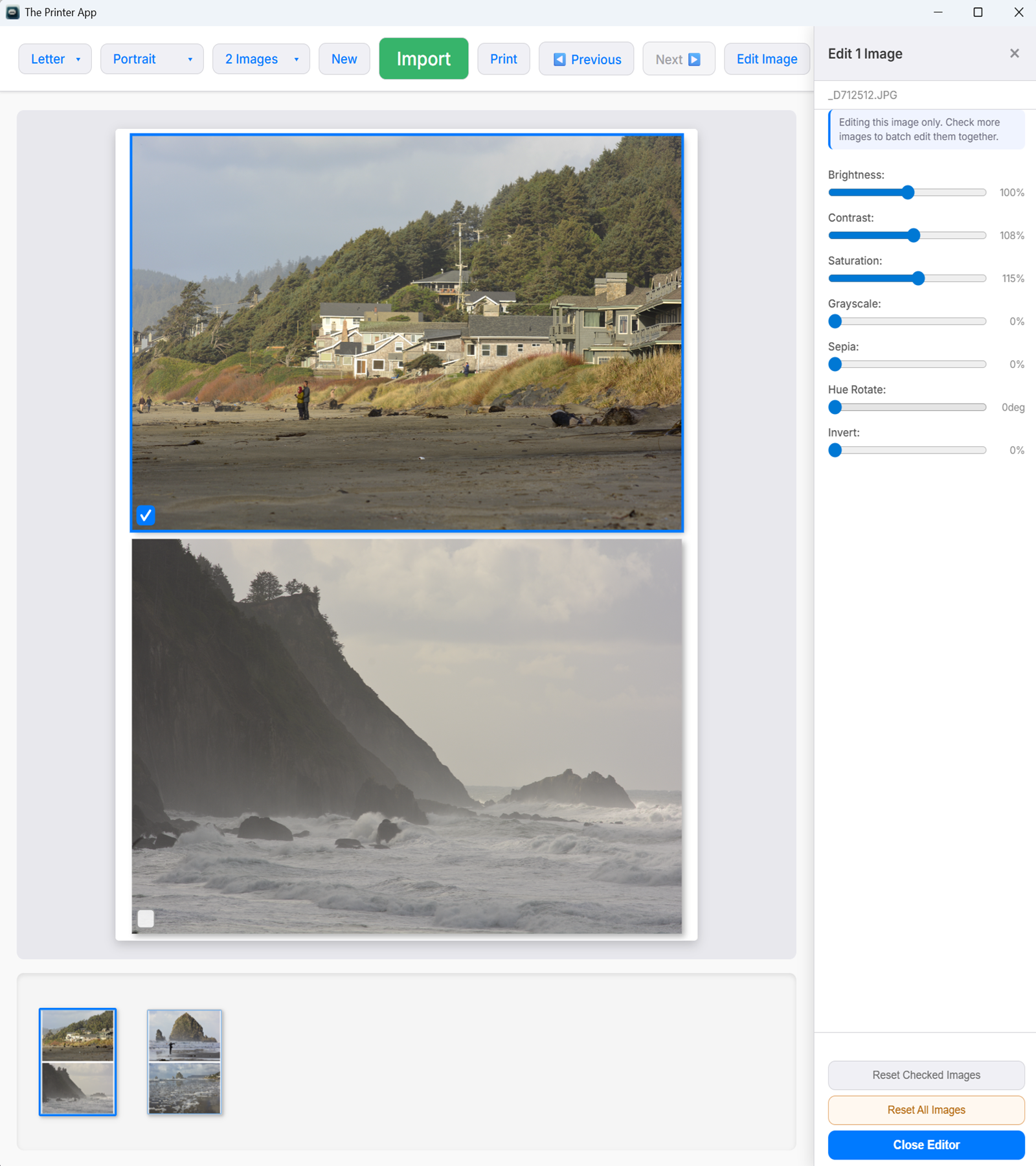
Real App The Printer App - Image editing panel

Built-in Editor

Fine-tune brightness, contrast, saturation, and more. Rotate, flip, and apply filters without leaving the app.

Optional 7-Day Free Trial

Simple One-Time Pricing

Try Everything Free for 7 Days

On an eligible device, the trial begins only when you choose Start Free 7-Day Trial in the app. Installing, opening, or closing the app does not start it. No credit card is required. Every feature is unlocked from day one. A brief internet connection is required when starting a new trial.

Regular purchase price: $34.99

SAVE UP TO 43% — exclusively inside The Printer App Eligible trial users can receive secure introductory pricing based on the current trial day.

One full-feature v2 license covers personal and commercial use on up to 2 computers at a time. All v2.x updates are included. Already purchased? On first launch, choose Enter License Key instead of starting a trial.

Available now for Windows. Download the installer, then choose whether to enter an existing license or start an eligible free 7-day trial. You can also purchase immediately at the regular one-time price of $34.99.

Optional 7-Day Free Trial
Every Feature Available
No Credit Card Required
Windows 10/11